fbpx

email whitelist instructions

Since your Email Provider probably uses some type of overzealous filtering; We ask that you add us to your trusted list of senders, contacts or address book. All also known as “Whitelisting”. If you do not see an email from Wealth Mastery Academy / WMA 富道学院 / WMA Academy in your Inbox, our email may have mistakenly been sent to your spam folder. Please open your spam folder and if you find an email from Wealth Mastery Academy / WMA 富道学院 / WMA Academy open it and mark it as “Not spam”…

NEXT: Click your provider below to Whitelist sales@wma.my

Is your email client or spam filter not listed?

If Wealth Mastery Academy / WMA 富道学院 / WMA Academy is being filtered, try adding sales@wma.my to your Address Book or Contact list.

If messages continue to be sent to your junk folder contact your ISP or spam filter application support and ask how to whitelist sales@wma.my

Gmail

Gmail

Gmail

Gmail

Gmail

Gmail

At times, Gmail mistakenly sends emails you want, to the Spam folder…
If you do not readily find an email from Wealth Mastery Academy / WMA 富道学院 / WMA Academy
Please check your Gmail Spam Folder:

To assure you continue to get emails you asked to receive, Create a Filter
  1. If you find an email from Wealth Mastery Academy / WMA 富道学院 / WMA Academy in Gmail spam?
  2. Open the email please.
  3. Click ‘Dots’ button on the top right, to reveal your choices.

Gmail Dropdown

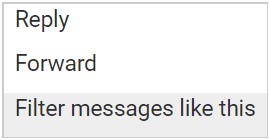
Click Filter messages like this

Gmail Filter
Click the button  Create filter   to open your settings.

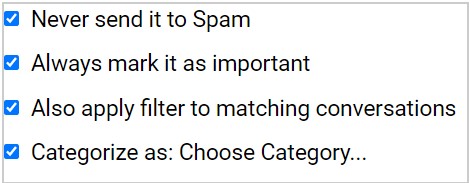
From the next menu, please check these options

Gmail Option

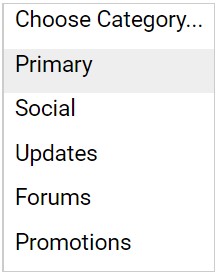
Under the “Categorize as: Choose Category…”
  1. Click the dropdown icon next to “Choose Category…”
  2. Please select Primary in the next options menu.

Primary Gmail

Click the blue  Create filter  button, to save your settings

Now you will always see Wealth Mastery Academy / WMA 富道学院 / WMA Academy in your Primary Inbox tab!
Next, if the email remains open? Please mark the email as “Not spam”
1. – If you see an email from Wealth Mastery Academy / WMA 富道学院 / WMA Academy : Open the email please.
2. – Click the button on the alert, labeled  Report Not spam 

 Why is this message in spam? It is similar to messages that were identified as spam in the past

Report not spam

Gmail

Gmail Mobile App

Gmail

Gmail Mobile App

Gmail

Gmail Mobile App

If you are using the Gmail Mobile App on your mobile device, please open the app now


Should you not readily see an email from Wealth Mastery Academy / WMA 富道学院 / WMA Academy, please check the Spam Folder:

Should an email from Wealth Mastery Academy / WMA 富道学院 / WMA Academy appear mistakenly sent to Gmail spam?

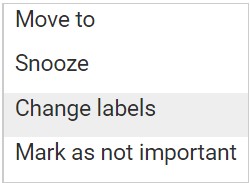
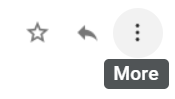
Please open the email and Tap the  icon.

Gmail Move

Select “Change labels…”
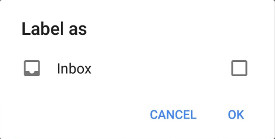
Check the box next to Inbox

Gmail New Label

Tap OK to save your settings


Are you are using Gmail Tabs such as “Promotions” please open your Promotions tab in Gmail.

  1. When you find the email from Wealth Mastery Academy / WMA 富道学院 / WMA Academy 
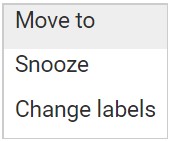
  2. Tap the  menu icon – top right.
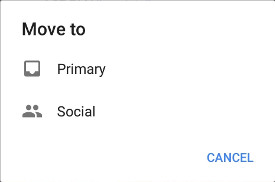
  3. Then select Move to.
  4. Then select Primary from the list.

This should help Gmail to know, you always want to see Wealth Mastery Academy / WMA 富道学院 / WMA Academy in your Primary Inbox tab…

Gmail

Gmail Tabs

Gmail

Gmail Tabs

Gmail

Gmail Tabs

If you are using Gmail Tabs such as ‘Promotions’ please open your Promotions tab in Gmail.


    1. – If you find an email from Wealth Mastery Academy / WMA 富道学院 / WMA Academy in your Gmail Promotions tab:
    2. – Grab and drag my email to the Primary Inbox Tab.
    3. – After doing so, you will receive an alert like the one below at the top of your Gmail toolbar.


      Conversation moved to Primary. Do this for future messages from sales@wma.my?


      Yes  Undo


  1. – Click Yes in the black alert box at Gmail.
  2. – This way you will always see Wealth Mastery Academy / WMA 富道学院 / WMA Academy in your Primary Inbox tab…


Also you can create a filter…


  1. – If you find an email from Wealth Mastery Academy / WMA 富道学院 / WMA Academy in your Gmail Promotions tab:
  2. – Open the email please.
  3. – Click the dots menu on the top left of the email.
Gmail Dropdown

Click Filter messages like this

Gmail Filter

Click the button  Create filter   to open your settings.

Please select Primary in the next options menu.

Primary Gmail

Click the blue  Create filter  button, to save your settings

Now you will always see Wealth Mastery Academy / WMA 富道学院 / WMA Academy in your Primary Inbox tab…

iPhone

iPhone Mail App

iPhone

iPhone Mail App

iPhone

iPhone Mail App

iPhone Mail identifies most junk mail (spam) sent to your @icloud.com address or aliases, but it can mistakenly move email incorrectly to your Junk mail folder.


Periodically check the Junk folder for email messages that were marked as junk mistakenly.

To indicate that an email message from Wealth Mastery Academy / WMA 富道学院 / WMA Academy is not junk:

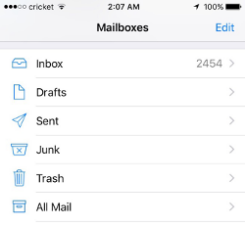
    1. – Open your Mail app and go to the Mailboxes screen
    2. – Scroll down to the folders area


    1. – Select the Junk folder.
    2. – Find the email from Wealth Mastery Academy / WMA 富道学院 / WMA Academy and slide it left to see options.
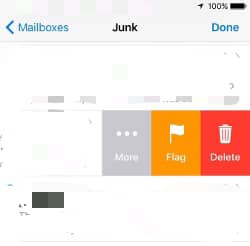
 

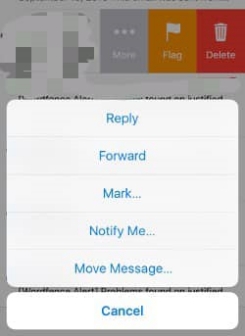
    1. – Tap the More button.
    2. – Tap the Mark button.


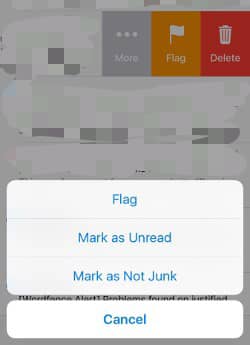
  1. – Tap the Mark as Not Junk button.


The message is moved to your Inbox. Subsequent email messages from Wealth Mastery Academy / WMA 富道学院 / WMA Academy will no longer be marked as junk.

By default, messages in the Junk folder are deleted after 30 days so be sure to check it often to whitelist relevant email.

Yahoo

Yahoo! Mail

Yahoo

Yahoo! Mail

Yahoo

Yahoo! Mail

If you do not see an email from Wealth Mastery Academy / WMA 富道学院 / WMA Academy in your Inbox…


Check your Spam Folder. If an email from Wealth Mastery Academy / WMA 富道学院 / WMA Academy is there?


  1. – Please open the email.
  2. – Next click the Not Spam button on the top toolbar.


To ensure delivery: Create a filter to automatically send email from Wealth Mastery Academy / WMA 富道学院 / WMA Academy to your Inbox.


  1. – Move your mouse over or tap the Gear icon in the top right navigation bar.
  2. – Select Settings from the list that drops down.
  3. – Choose Filters located on the left side of the page.
  4. – Click the Add button on the Filters page.
  5. – Create a name such as Whitelist in the Filter name field.
  6. – In the From field leave the default contains selected.
  7. – Enter our email address sales@wma.myin the text box next to Contains…
  8. – Choose the destination folder to which you would like the message delivered. For example: Inbox.
  9. – Click or tap Save…
  10. – You will see in the next screen -Deliver to Inbox if From contains Wealth Mastery Academy / WMA 富道学院 / WMA Academy 
  11. – Click or tap Save on this screen.
  12. – You will be returned to your Yahoo! Inbox.
Outlook

Outlook Mobile App

Outlook

Outlook Mobile App

Outlook

Outlook Mobile App

Outlook’s mobile app now offers a “Focused Inbox” for your important email


– To add Wealth Mastery Academy / WMA 富道学院 / WMA Academy to your list of Focused Inbox on the Outlook App…
Please open the mobile Outlook app on your Android, Microsoft or iPhone:
Then open the email from Wealth Mastery Academy / WMA 富道学院 / WMA Academy :


    1. – Click the dropdown menu  on the top right of your Inbox.
    2. – On the menu displayed tap Move to Focused Inbox
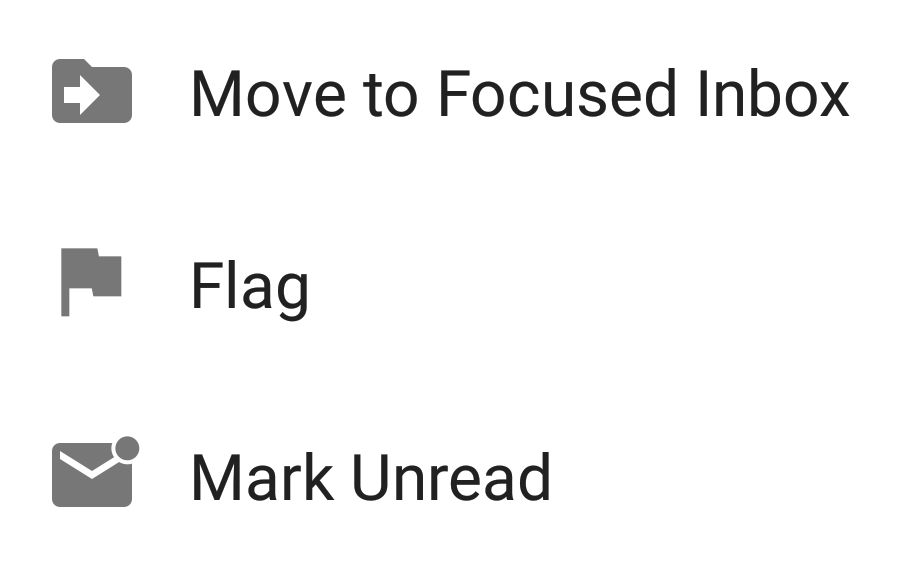


    1. – Select the Move this and all future messages button.
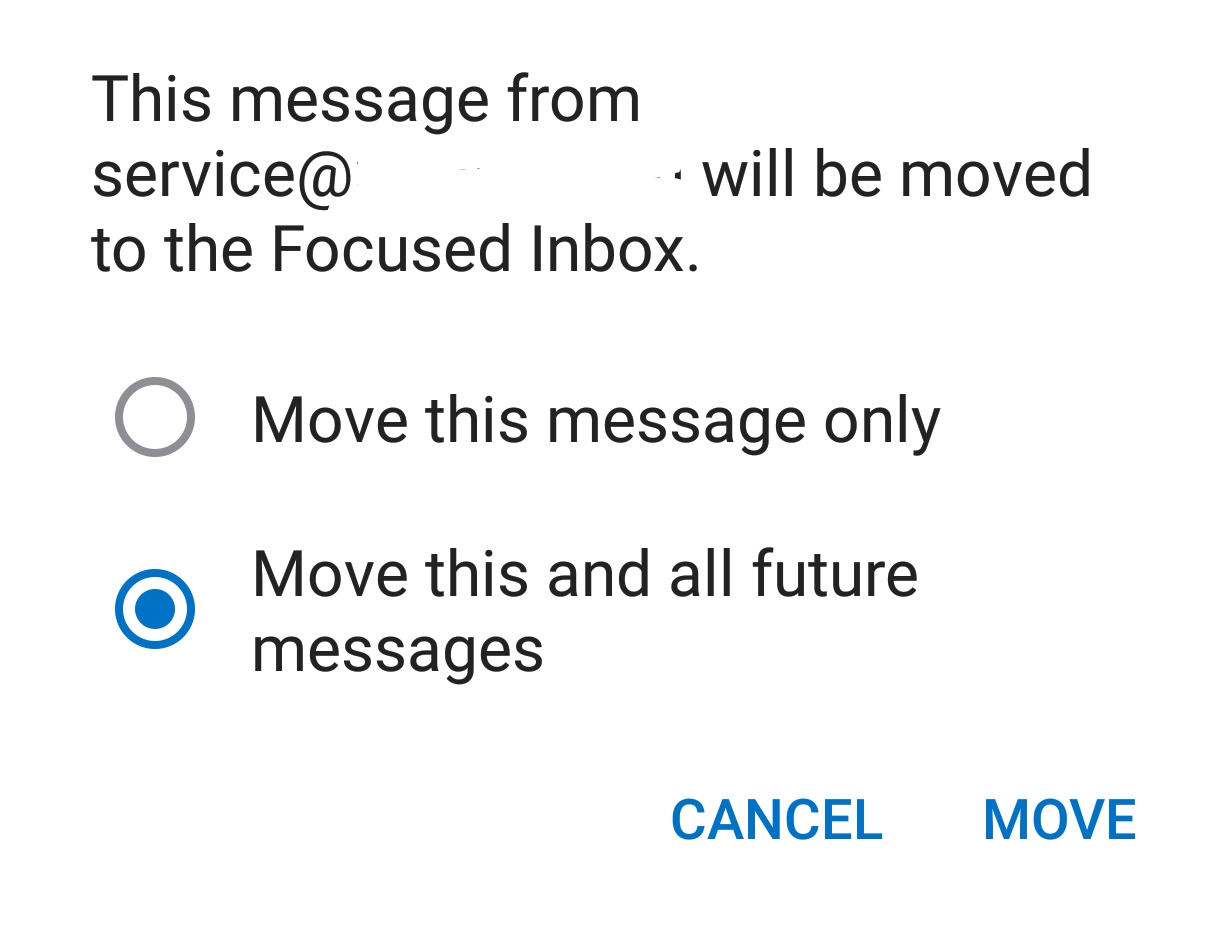


  1. – Tap Move
  2. Now all future messages from Wealth Mastery Academy / WMA 富道学院 / WMA Academy will appear in your Focused Inbox

You can also remove unwanted emails from your Focused Inbox as well by repeating this process in your Focused tab.

Outlook

Outlook 2003, Outlook 2016 and Outlook Office 365

Outlook

Outlook 2003, Outlook 2016 and Outlook Office 365

Outlook

Outlook 2003, Outlook 2016 and Outlook Office 365

To ensure you continue to receive important emails in Outlook Office:

Please add Wealth Mastery Academy / WMA 富道学院 / WMA Academy to your list of “Safe senders” on Outlook:

  1. – Right click our email in your Inbox email list pane.
  2. – On the menu displayed move your mouse over or tap Junk
  3. – Click or tap on Never block sender in the menu that rolls out.
  4. – The resulting popup will say:
  5. – “The sender of the selected message has been added to your Safe Senders List.”
  6. – Click OK

To add sender to address book:

  1. – Open the email
  2. – Right click on the from address
  3. – Choose Add to contacts option
Outlook

Outlook.com

Outlook

Outlook.com

Outlook

Outlook.com

Previously “Hotmail”, “Live”, “Windows Live” and “MSN”…

In the new Outlook.com you must click the Wait it’s safe link if you find emails incorrectly identified as spam.

Entering the email contact in the address book or contacts no longer whitelists the sender.

To ensure messages from specific email addresses are not sent to your Junk Email folder, you can do one of two things:

  1. – Check the Junk folder. If you see the Wealth Mastery Academy / WMA 富道学院 / WMA Academy email in your Inbox
  2. – Open the email from Wealth Mastery Academy / WMA 富道学院 / WMA Academy 
  3. – Click the “Wait it’s safe” link

Mark Sender as "Wait it's safe!

Wealth Mastery Academy / WMA 富道学院 / WMA Academy (sales@wma.my)

To: you@outlook.com

Microsoft SmartScreen marked this message as junk and we’ll delete it after ten days.

Wait, it’s safe! | I’m not sure. Let me check


Manually Add to Safe List

  1. – Click gear the icon on the top right.
  2. – Select Options in the drop down list.
  3. – On the Options page under Preventing junk email click Safe and blocked senders
  4. – Click the link Safe senders on the next page.
  5. – Enter the email address sales@wma.my in the text box.
  6. – Click Add to list
  7. Wealth Mastery Academy / WMA 富道学院 / WMA Academy will now be added to your list of Safe senders
  8. – Emails added to your Safe senders will not be delivered by mistake to your Junk folder.